Oh, brother!

A few years back the black ink on my Brother DCP-6690CW stopped printing entirely. I hadn’t been using it regularly and thought at the time that the ink just dried out. This is a fairly common complaint about Brother printers and the black ink specifically. I purchased a head cleaning kit from Printhead Hospital, basically two bottles of cleaning solution supplied with a syringe and tube to be attached directly to the ink nozzles. It’s a good kit and the guys at printhead hospital were really helpful providing advice by email when the first cleaning failed. After a few more unsuccessful attempts I gave up and purchased a wee Epson XP-352 for some general printing and wedding invitations I was producing that week. I kept the Brother for the A3 scanner and the document feeder which still proved really useful.

It’s always irritated me that I wasn’t able to fix the Brother and at the end of last year I contacted a few local tech repair shops to see if anyone would look at it. Unsurprisingly it was a resounding no, most of the guys saying that printers have moved on, they’re much cheaper now or it’s just not worth it, etc.

It’s an old printer, I purchased it in 2009 for about £270 and I’d likely have to spend a similar amount to purchase a new A3 printer/scanner. Essentially, if I poked around inside and messed it up entirely I’d have nothing much to lose, I could always buy a shiny new model or just settle for the wee Epson.

I found this IFIXIT guide with detailed instructions on How to Unclog Brother Inkjet Print head Nozzles.

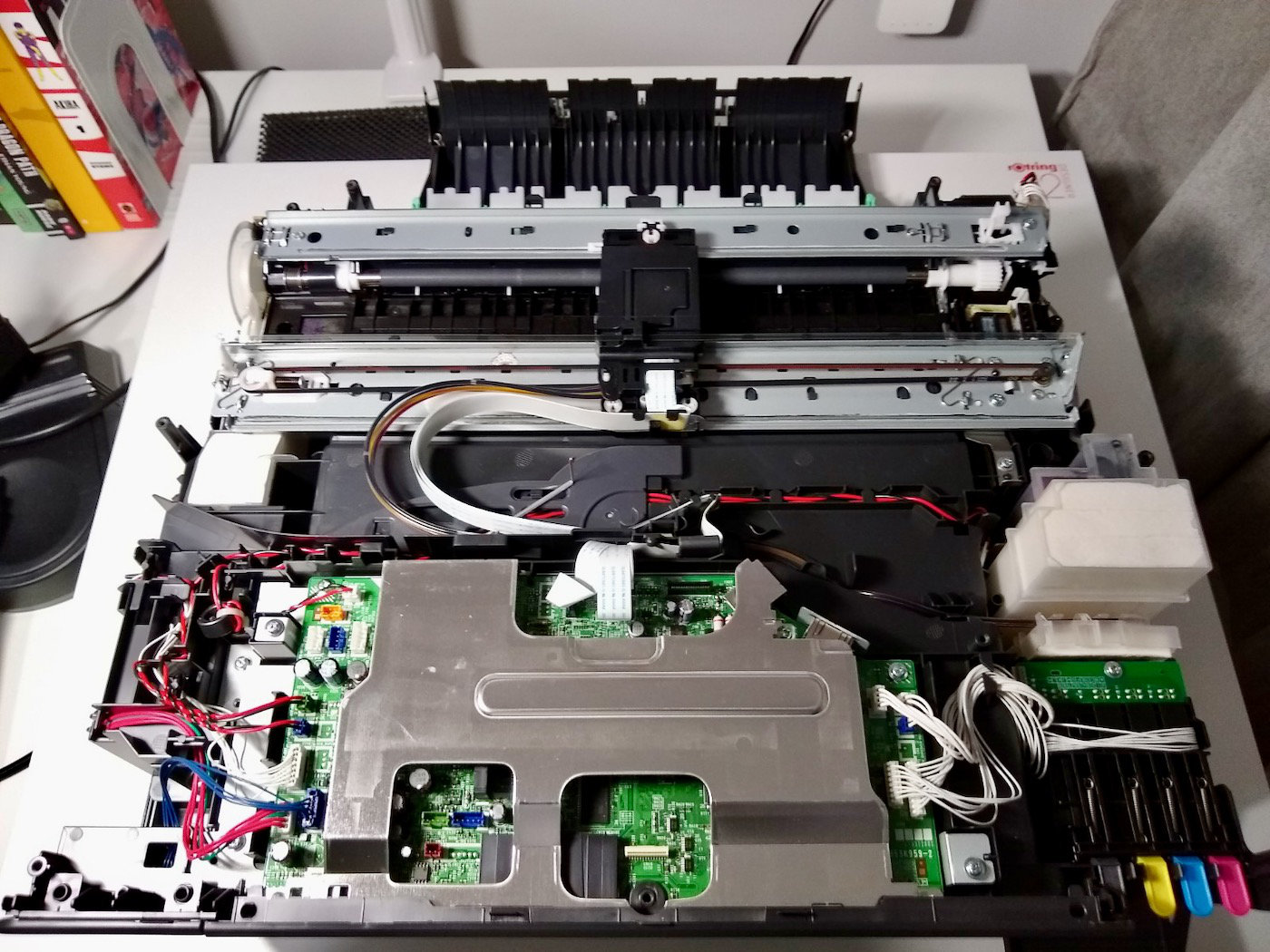
In practice it was actually pretty straightforward, the trickiest part was finding the time to work on it and after dismantling/reassembling the Brother a few times I started to feel pretty confident about repairing this thing.

I took photos at each stage for wire placements, etc., until I got the hang of stripping it down. The photos in the IFIXIT guide varied slightly and were simply too small.

I was initially quite precious with the printhead removal until I watched some footage of similar printers being stripped for parts and refurbished on Youtube.

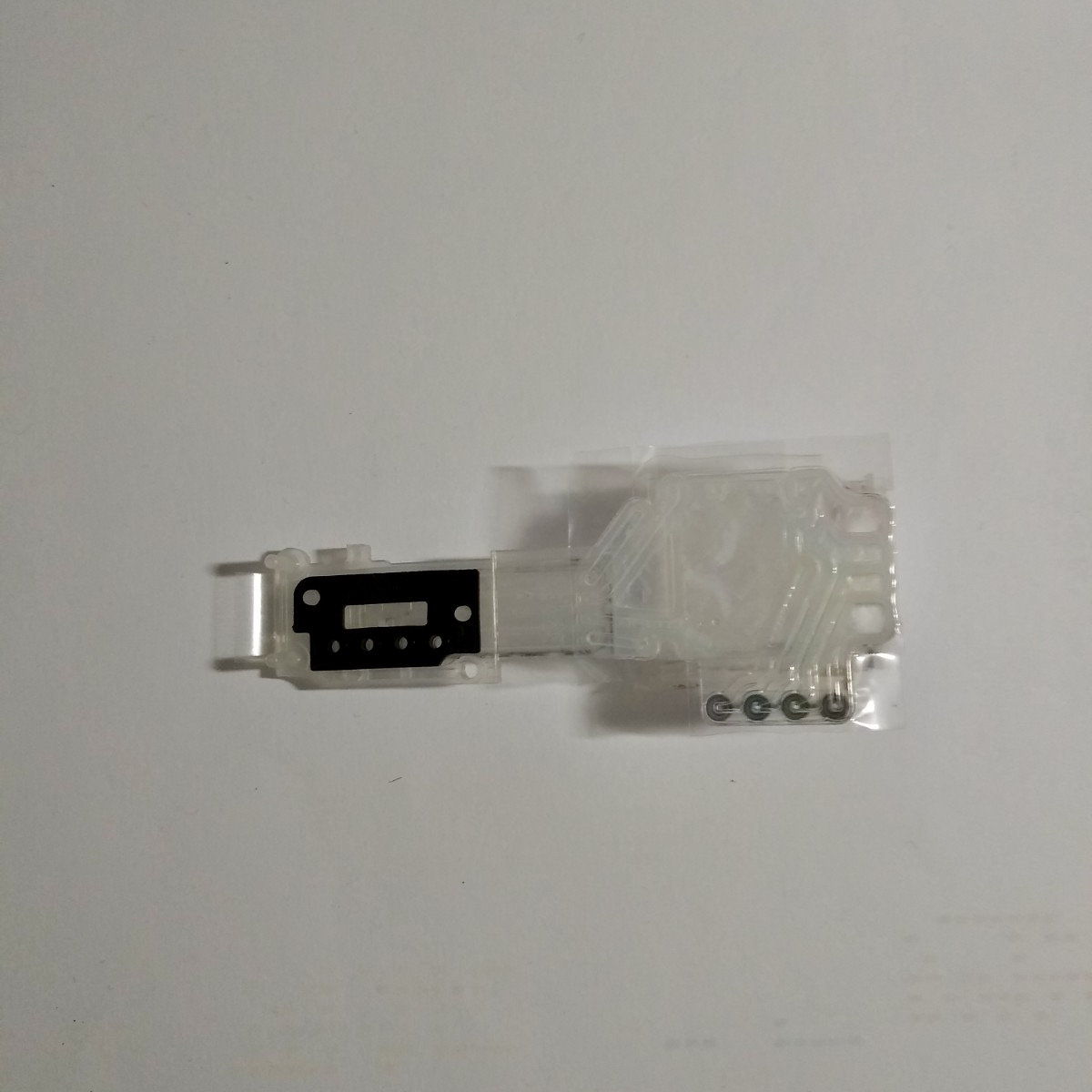
Here’s the old printhead and ink damper after the initial cleaning. I had hoped that I could simply clean the head but ultimately realised after a few print quality checks that it was faulty and I’d need a replacement. I made an offer on a seller refurbished printhead and it arrived within a few weeks.

Prices have increased since I purchased so I’d recommend making an offer in the first instance

After installing the refurbished printhead the results from the first print quality check were less than encouraging.

This is our starting point, zero K but bizarre that Y,C and M are still looking pretty good

It still wasn’t printing black but I figured there could be some air in the lines after disconnecting and then reconnecting the printhead. I used the head cleaning kit to flush the ink damper/printhead and also ran a purge operation in maintenance mode (details below).

Entry into the maintenance mode

  • Press the menu key
  • Press the Black Start (Mono Start) key on the control panel. Next press the Scan key four times
  • The machine beeps for approx. one second and displays * MAINTENANCE* on the touch panel
Function CodesFunction
09Test Pattern
76Purge operation
99Exit from Maintenance Mode

I made myself a cuppa before printing another quality check.

We have K!!! Weirdly the Y and M are worse, time to purge and try again

Much better, I breathed a sigh of relief and tried again after wiping excess ink from the print head.

While still not perfect I was pretty chuffed with this result considering where I started

At this stage I was hesitant to run any more purges as things were looking pretty good. Any more head cleaning would in all likelihood make the print quality much worse.

The print comparison from before and after shows a big improvement so overall, not a bad result, not perfect by any means but good enough for me.

The lesson here kids, use your printer regularly or you’re gonna have a bad time.
End of year lists

I don’t usually bother with end of year lists or top tens but I enjoy seeing other peoples books and pull lists so what the hell, why not? Not a comprehensive list of everything I read in 2022, just a few personal faves.

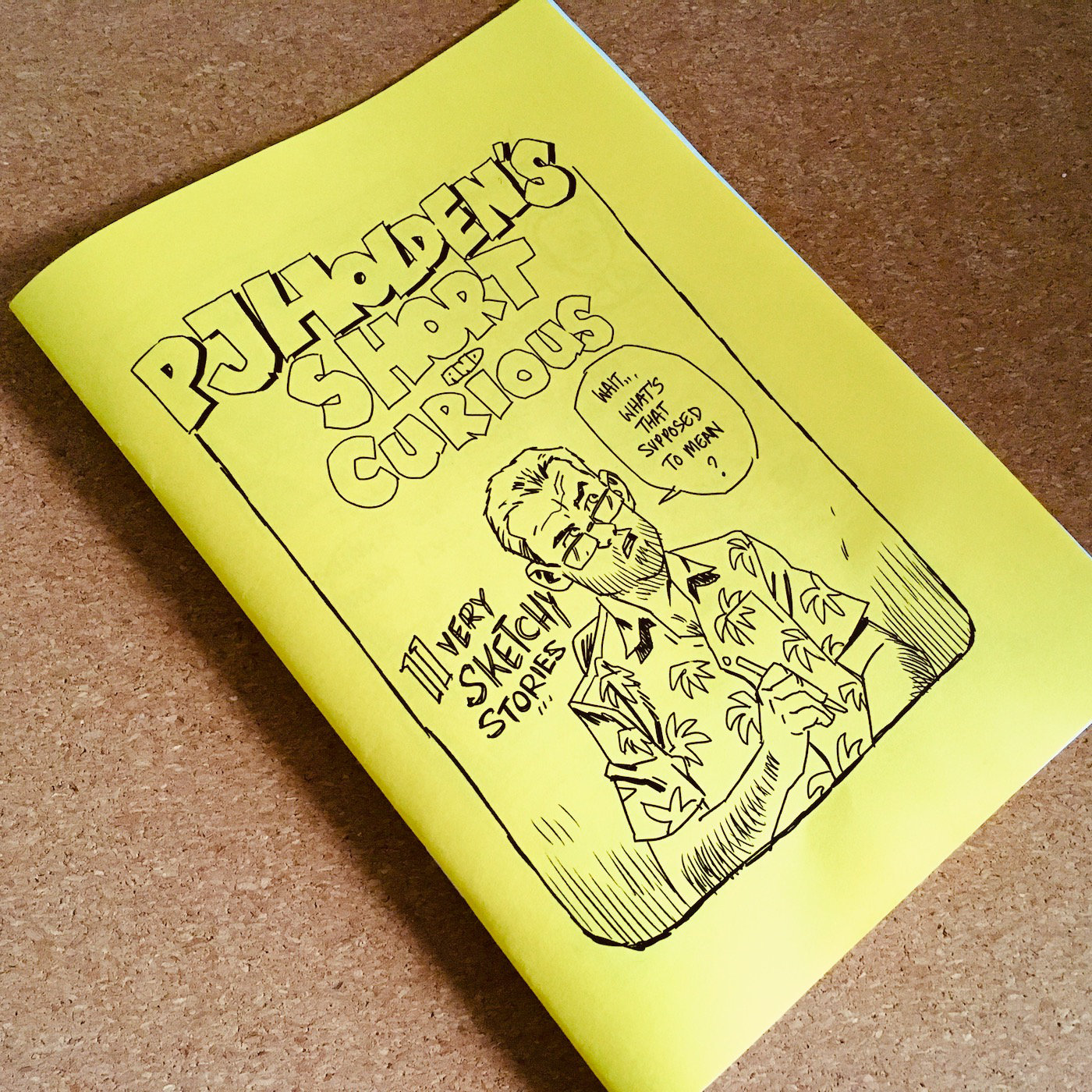
First up, Short and Curious by PJ Holden available on gumroad.

I know, I know… I’ve posted about this before but I bloody love it! I also wanted to show off the lil A5 copy I printed on the big old duplex copier at work… even dusted off my long arm stapler too.

The Essential Guide to Comic Book Lettering by Nate Piekos. While the book primarily focuses on using Adobe Illustrator there’s lot’s of useful guides and info. I’m really gonna have to make time to try out the stuff here and see if I can adapt the workflows in Affinity Designer.

Cyberpunk 2077: Blackout by Bartosz Sztybor and Roberto Ricci was a must-buy for me after seeing Roberto’s process posts on twitter.

The Dragon Path by Ethan Young was an absolute delight from start to finish. Some fanart is well overdue for this fantastic book.

Dream Fossil: The Complete Stories of Satoshi Kon. I’ve had this on my bed side table for the past year and have read it now at least ten times. The stories collected are simply phenomenal, from the eeriness of ‘Guests’ to the sheer joy of ‘Beyond the sun’.

Kroma by Lorenzo De Felici. One of my favourite books on the stands at the moment, Lorenzo is producing something incredible with Kroma.

SKYBOUND X has been on my pull list since it started and issue 25 was excellent. Battle Beast, Kirkman, Ottley, need I say more?

Ok, that’s enough of that, happy new year dweebs!

November 2022

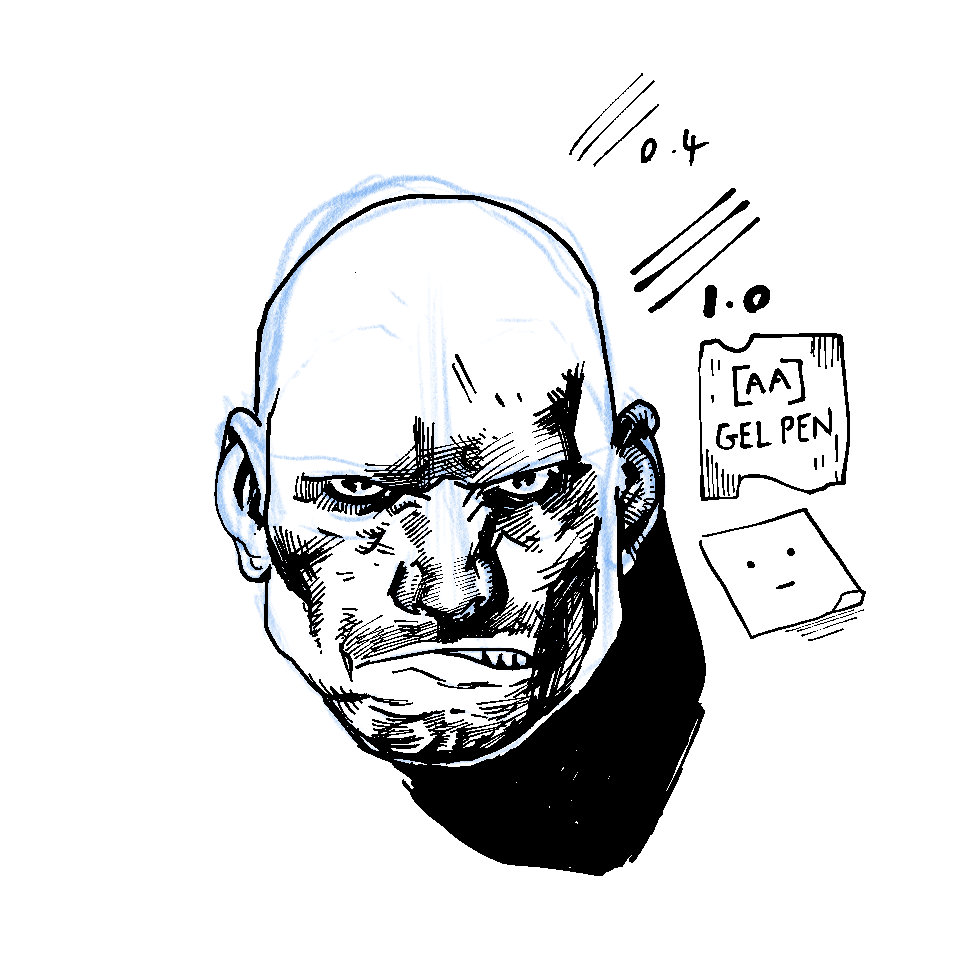
Started off the month by messing around with this skull from May 2022 in clip studio.

Can’t remember who recommended the [AA] Gel Pen on twitter but I’m loving the line, reminds me of MUJI Gel Ink pens.

Some pencils and a bonus skull that didn’t make it onto last months page.

Skull and bones

I’ve been slowly adding to this page in clip studio during breaks at work. Mostly drawn using the default g-pen with some texture/tone here and there.

Batman Day 2022

A quick page for #BatmanDay sketched in Procreate. Someday I’ll draw a grumpy Jim Gordon fan comic and maybe include Bane and the Bat fella.

Holidaaaay

I left the iPad at home and took a wee sketchbook on holiday to fill a few pages. I’ve been wanting to get back to drawing on paper again and it felt pretty good to ditch the undo gesture for a bit.

Here’s the raw inks:

Picked up a new pen from empik and a copy of RELAX #38 from the airport. Really impressed with the production and large format of RELAX, astounding work from Jakub Rebelka, Philippe Cazaumayou, etc.

Colour it in

I coloured day 2 of PJ Holden’s brilliant holiday comics for the craic:

I flatted the page pretty quickly earlier in the week before adding rendering over the last few days at work. I had about 10 to 30 minutes during my breaks and lunches giving me approximately 10 minutes per panel.

Kinda like PJ’s genius pomodoro technique (which breaks single tasks into 25 minute chunks) 10 minutes is a pretty perfect time limitation to set for a single panel, really keeps you focused.

PJ has collected his holiday comics along with a bunch of other strips on gumroad (it’s pay what you like) and I really enjoyed it!

I’ve uploaded my flats here if you wanna colour the page too.

What’s updog?

Declan Shalvey recently posted this panel from his creator owned comic Old Dog starting an inking challenge on twitter:

It’s been fascinating to watch the various approaches to this single panel and I couldn’t help but think of 99 ways to tell a story when I saw each new interpretation throughout the past week or so.

Anyway, it’s been getting a wee bit quiet here on the blog so thought I’d post up my attempt in pencils from a few nights ago.

Old Dog is out on Aug 31 Sept 28 and looks great so be sure to check out issue zero and subscribe to Dec’s newsletter.

May 2022

Yikes, it’s the end of the month so I’m clearing out the auld iPad to free up some of those precious megabytes.

#AlienDay happened again, apparently its an annual thing.

Some more heads and a bat fella.

Thumbs up

Just tweaking a thumbprint brush I created in CSP along with some other inking tests.